Bot MD

Bot MD Product Updates

Discover the newest features, performance improvements, and platform updates — designed to help healthcare teams work smarter and deliver better automated patient experiences.

29 Jan 2026
New Feature

Inbox Filters: Find the Right Conversations Faster

You can now filter conversations in the inbox to quickly focus on what matters most. This update gives your team more control and visibility when managing live chats—especially when handling high volumes or AI-to-human handovers.
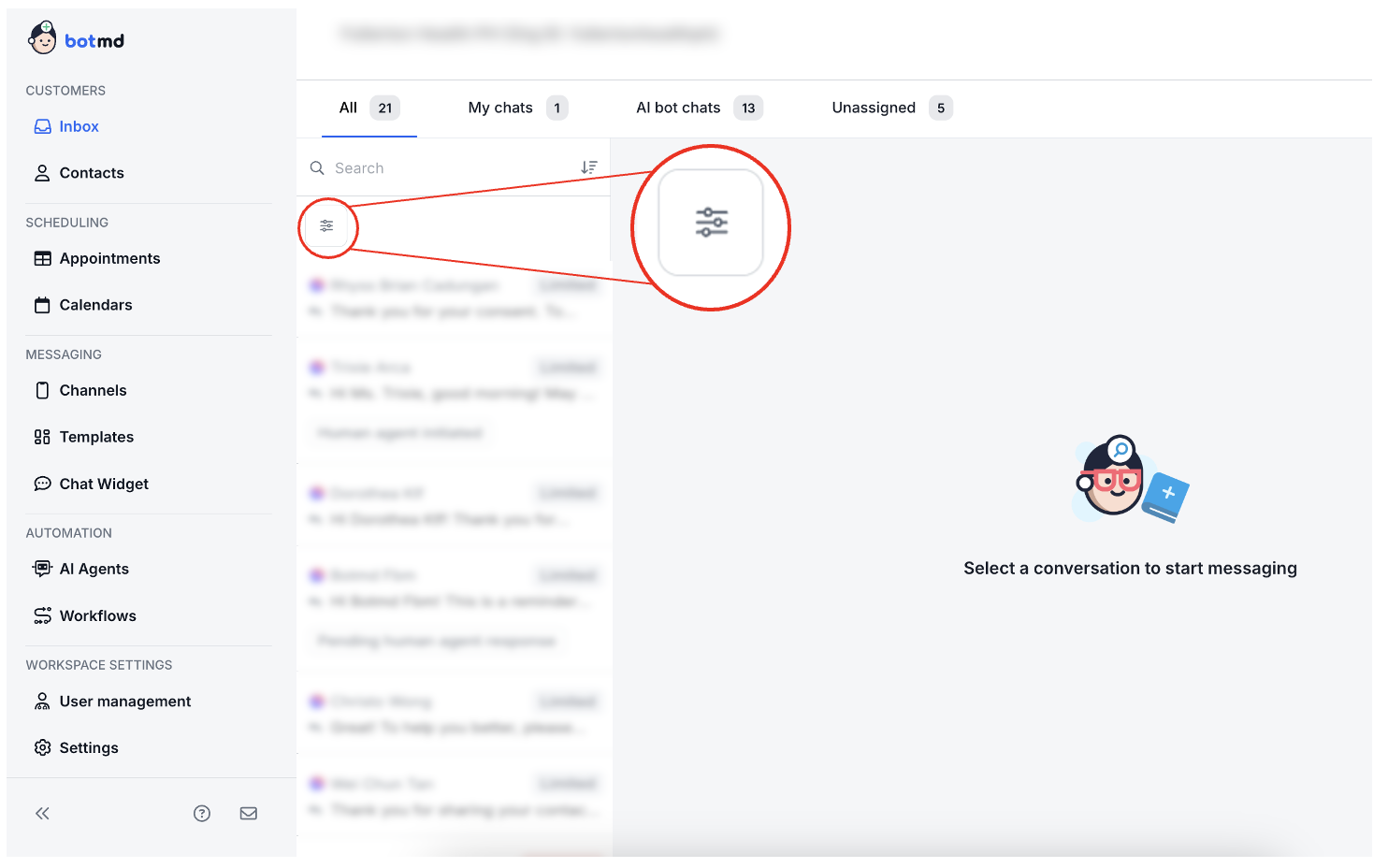
Inbox Filters: Find the Right Conversations Faster
Inbox Filters: Find the Right Conversations Faster - Additional view

How it works

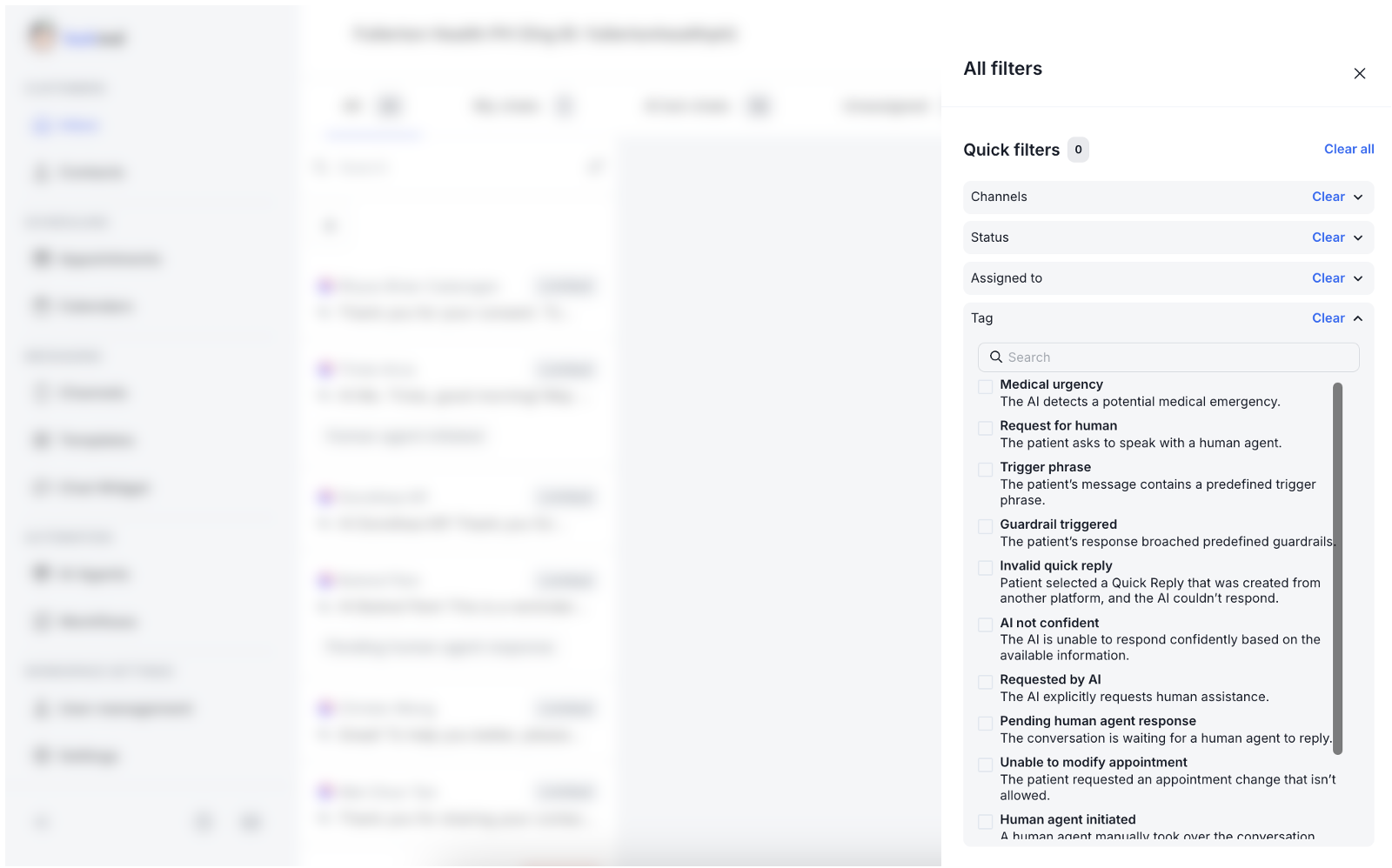
  • Filter by Tags: Use system-generated tags to instantly surface specific scenarios, including Medical urgency, Request for human, Trigger phrase, Guardrail triggered, Invalid quick reply, AI not confident, Requested by AI, Pending human agent response, Human agent initiated, and Unable to modify appointment. These tags help your team prioritize conversations that need immediate or specialized attention.
  • Filter by Channel: Quickly narrow down conversations by communication channel (e.g., WhatsApp, Facebook Messenger, Web Chat).
  • Filter by Status: Easily focus on active conversations or review completed ones.
  • Filter by Assignee: Filter by the agent a conversation is assigned to, making it easier to track individual workload, review handover quality, and provide targeted coaching.
  • With these new filters, your team can respond faster to urgent or escalated cases, stay organized as inbox volume grows, improve collaboration between AI and human agents, and reduce time spent searching for the right conversations.
  • This feature is now live for all customers—no setup required.

🚀What's coming next

  • We'll continue refining and expanding these tags over time. For example, broader tags like "AI not confident" will be broken down into more specific topics, giving admins clearer context on what type of issue or question the bot was unable to handle—so the right response can happen faster.

If you have any questions or need help with configuration, feel free to reach out to our team.
26 Jan 2026
New Feature

New Feature: Facebook Messenger Extended Messaging

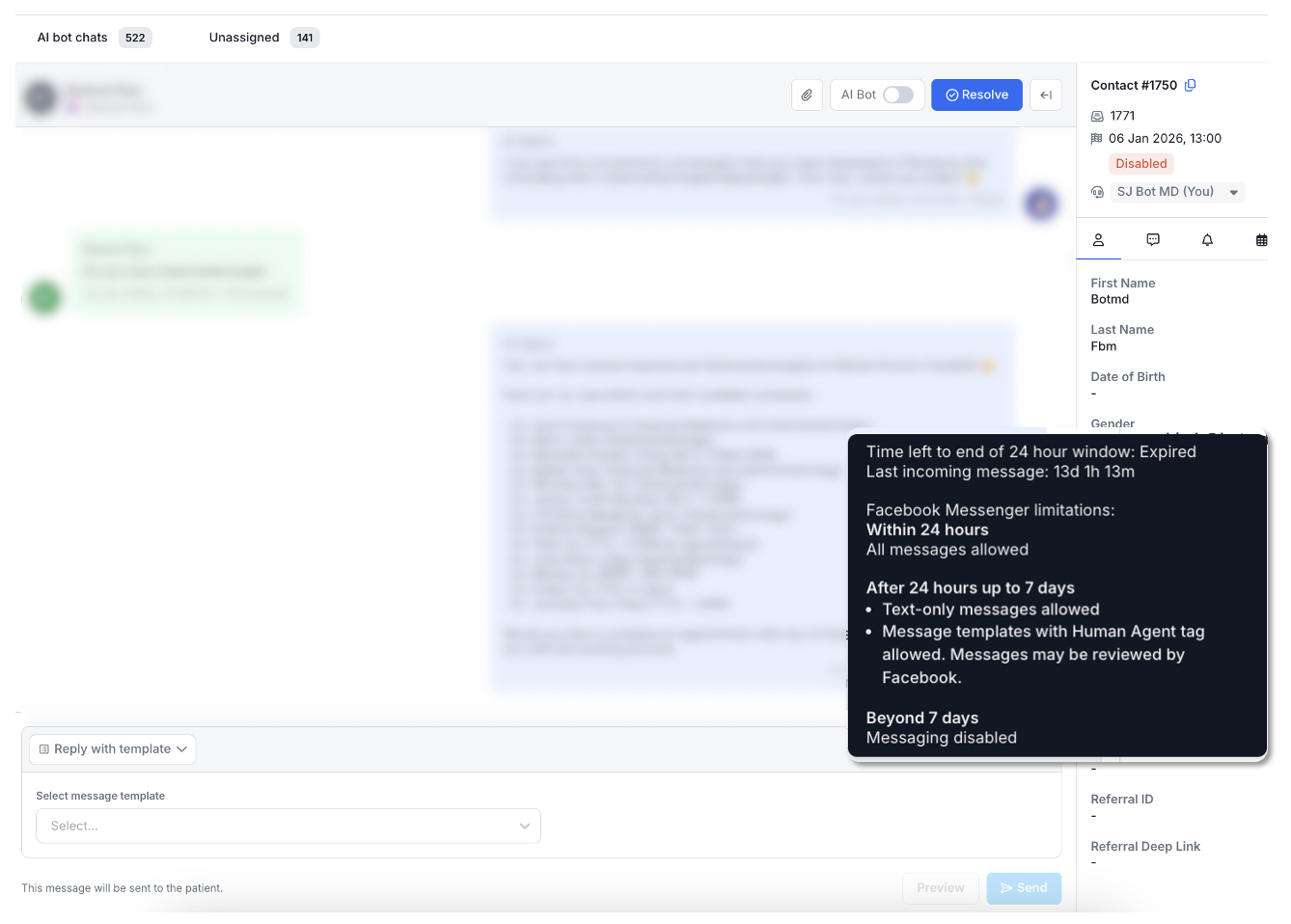
You can now continue sending messages on Facebook Messenger chats that have been handed over from the AI bot to a human admin, even after the initial 24-hour window (up to 7 days).

New Feature: Facebook Messenger Extended Messaging

How it works

  • Within 24 hours: All message types are allowed.
  • After 24 hours (up to 7 days): Text-only messages can be sent, message templates using the Human Agent tag are supported, and messages may be reviewed by Facebook.
  • Beyond 7 days: Messaging is disabled by Facebook.
  • This allows human admins to follow up with patients or customers who reply late, continue conversations after AI-to-human handover, and stay compliant while improving response continuity.
  • Helpful indicators are shown in the inbox so admins always know what can be sent and when.

If you have any questions or need help with configuration, feel free to reach out to our team.
21 Jan 2026
New Feature

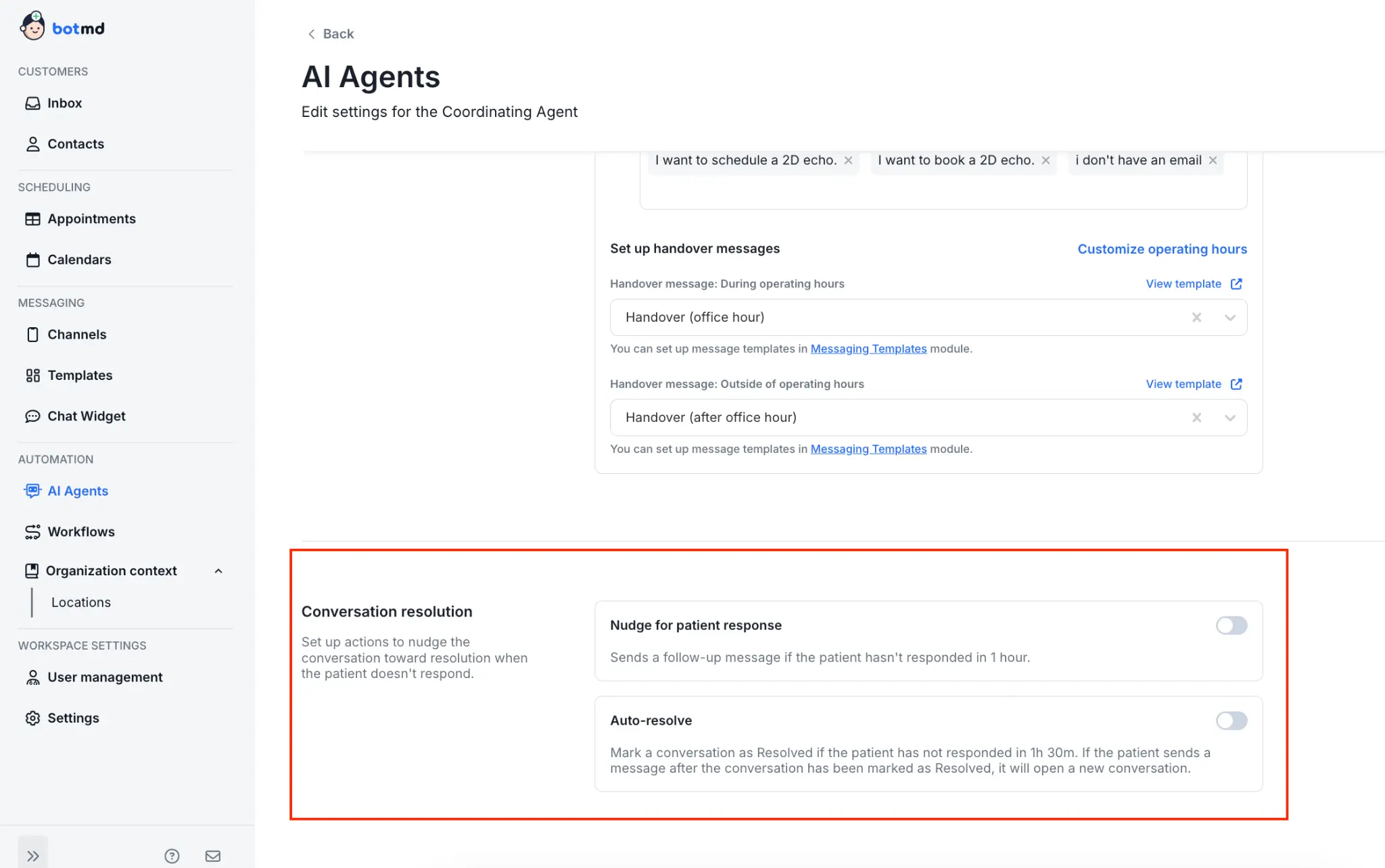
New Feature: Auto Nudge & Auto Resolve

To help improve response rates and keep conversations tidy, we're introducing automated follow-up and resolution features.

New Feature: Auto Nudge & Auto Resolve

How it works

  • Auto Nudge at 1 hour: An automatic follow-up nudge will be sent after 1 hour for any inbox conversations that remain open (not resolved).
  • Auto Resolve at 1 hour 30 minutes: The conversation will be automatically resolved after 1 hour 30 minutes if there's no response.
  • The default duration is currently fixed, but will be customizable soon.
  • The initial default message template: 'Just following up on our conversation to ensure you have everything you need. Please let me know if you'd like to proceed or if there is anything else I can clarify for you.' This message is editable, so you may customise it.
  • To access the Conversation resolution settings, go to AI Agents → Coordinating Agent → Scroll down to Conversation resolution → Turn On/Off the toggle button.

If you have any questions or need help with configuration, feel free to reach out to our team.

More updates coming soon. Stay tuned!